
FRP Unlock Oppo K12x 5G (CPH2667) – Hard Reset & WiFi Method Frp Unlock Explained (2026)
Introduction
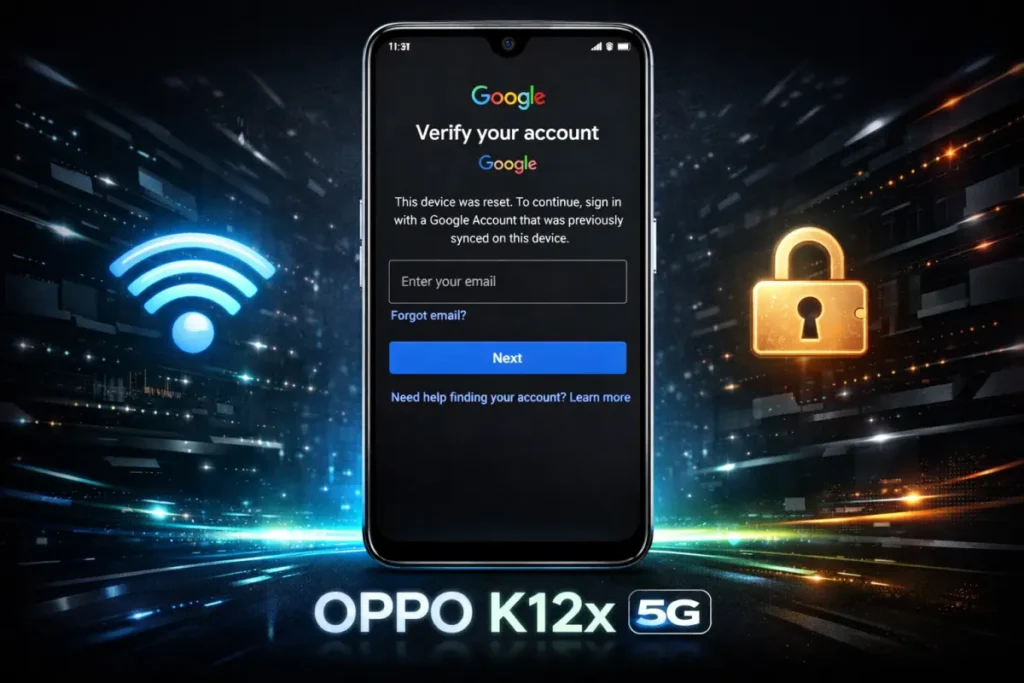
If you are facing the Google verification lock on your Oppo K12x 5G (CPH2667), it usually happens after a hard reset. Many users search for “FRP unlock Oppo K12x”, “Oppo K12x FRP bypass”, or “how to reset Oppo K12x”.
In this guide, we will explain the complete process:
- Hard Reset
- FRP Lock Issue
- WiFi Trick (as shown in videos)
- Safe Solutions
Step 1: Hard Reset Oppo K12x 5G (CPH2667)
A hard reset is usually the first step users perform when the phone is locked, hanging, or not working properly.
⚠️ Warning:
- All data will be erased
- FRP lock will be activated after reset
Hard Reset Steps:
- Power OFF the device
- Press and hold:
- Volume Down + Power button
- Release buttons when Recovery Mode appears
- Select language (English)
- Tap on Wipe Data
- Enter verification code if required
- Select:
- Format Data
- Confirm the process
- Wait for reset to complete
- Tap Reboot
Step 2: FRP Lock (Google Verification)
After reset, when the phone restarts:
- Connect to WiFi
- Tap “Next”
- Device shows Google Verification Screen
- It asks for previously synced Google account
This is called FRP Lock (Factory Reset Protection).
Step 3: WiFi Trick Method
Many videos show a method like this:
Connect to WiFi
- Connect network and proceed
Google Verification Page
- Account verification appears
Go Back
- Press back button to return
Tap Next Again
- WiFi reconnects automatically
Hotspot Timing Trick
- Turn OFF hotspot at the same time
- Internet connection drops suddenly
Screen Change
- Device may:
- Flicker
- Reload
- Show lock screen (in some cases)
then follow nomal setup process complete.
Does This Method Work?
❌ Mostly NO (2026 Update)
- Android 14/15 security is strong
- Oppo has patched such tricks
- Device returns to verification screen
Important Reality
- Hard reset does NOT remove FRP
- WiFi tricks are not reliable
- Most online methods are outdated
Safe Methods for FRP Unlock Oppo K12x
1. Google Account Recovery
- Recover your Gmail account
- Login after reset
2. Oppo Service Center
- Visit official center
- Show bill / proof
- Get authorized unlock
3. Trusted Technician
- Only professional services
- Avoid unknown tools or APK files
Tips to Avoid FRP Lock
- Remove Google account before reset
- Keep login details safe
- Avoid buying locked phones
Frequently Asked Questions (FAQs)
Q1: What is FRP unlock Oppo K12x?
FRP unlock Oppo K12x refers to removing the Google account verification that appears after a factory or hard reset on the Oppo K12x 5G (CPH2667).
Q2: Does a hard reset remove FRP on Oppo K12x?
No, a hard reset does not remove FRP. Instead, it activates the Google verification screen after the reset process is completed.
Q3: Why does my Oppo K12x ask for a Google account after reset?
This happens because of Factory Reset Protection (FRP), which is designed to protect your device from unauthorized access after a reset.
Q4: Does the WiFi trick work for FRP unlock Oppo K12x?
In most cases, no. The WiFi auto-connect and hotspot trick shown in videos is not reliable on newer Android versions like Android 14 or 15.
Q5: What is the safest way to unlock FRP on Oppo K12x?
The safest method is to log in using the original Google account or recover your account through Google’s official recovery process.
Q6: Can I bypass FRP on Oppo K12x without a PC?
Some older methods claimed to work without a PC, but most are now patched and do not work on updated devices.
Q7: Will flashing firmware remove FRP lock?
In most cases, flashing firmware alone does not remove FRP. Authorized tools or official service methods are required.
Q8: Is it safe to use FRP bypass APK files?
No, using unknown APK files can be risky. They may contain malware or damage your device.
Q9: What should I do if I bought a second-hand Oppo K12x with FRP lock?
You should contact the previous owner for the Google account details or visit an official service center with proof of purchase.
Q10: How can I avoid FRP lock in the future?
Always remove your Google account before resetting your device and keep your login credentials محفوظ (secure).
Conclusion
The correct flow for FRP unlock Oppo K12x 5G (CPH2667) starts with a hard reset, followed by Google verification. While many videos show WiFi tricks, they are not reliable in modern Android versions.
For a permanent solution, always choose official and safe methods.
Disclaimer
This article is for educational purposes only. We do not support unauthorized bypassing of device security. Always follow legal methods.
Read more articles